How to set up pricing for pay-as-you-go students
Updated 22 Jul 20261 min reading
Pay-as-you-go lets students buy and pay for one lesson at a time instead of a full package. Once you have set your prices, eligible package lessons with available places automatically become visible to pay-as-you-go students on the marketplace. This can earn you additional income from lessons you already plan to teach.
As a driving school owner, you set up the prices under Business → Setup → My Prices.
How to do it
1. Open Business
Select Business in the menu at the bottom of the app.
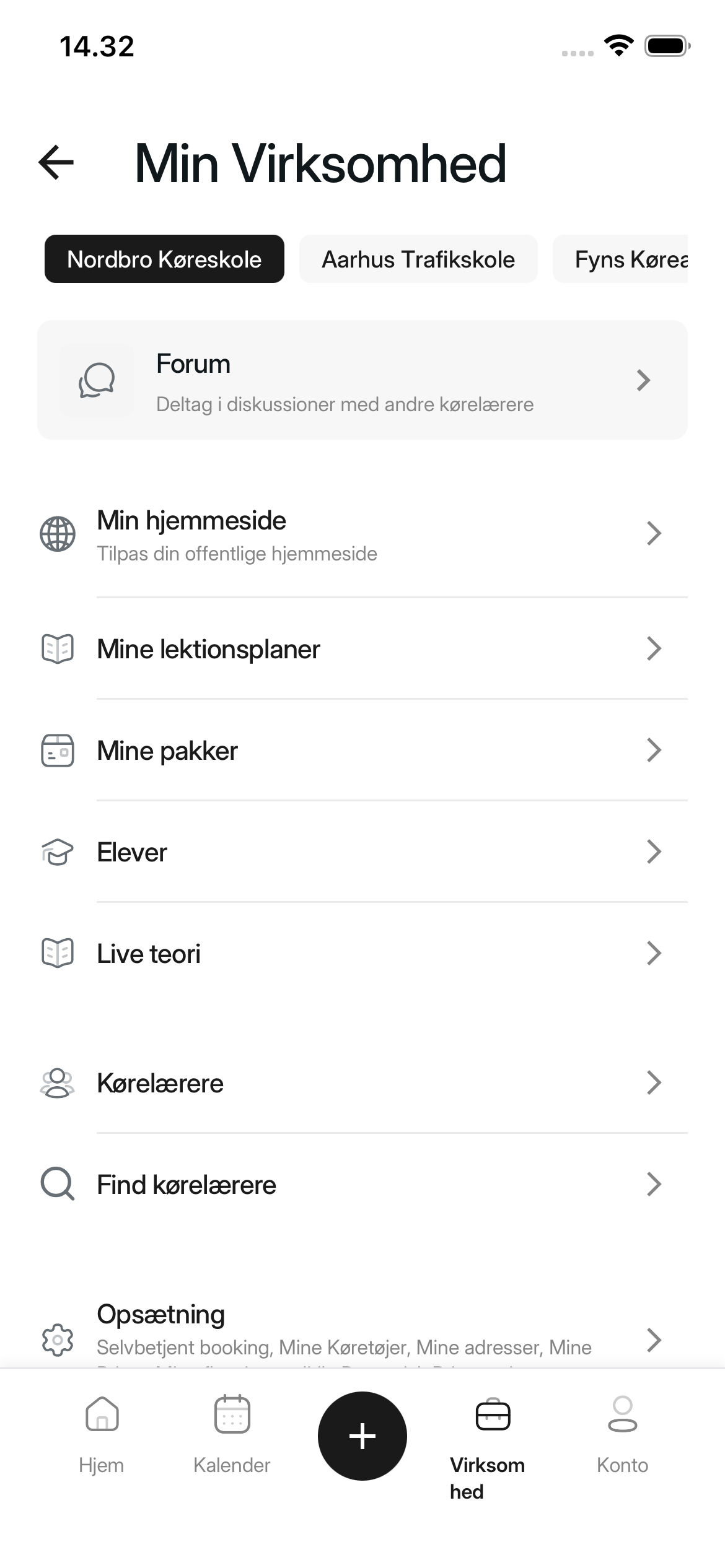
2. Open Setup
Scroll down and select Setup.
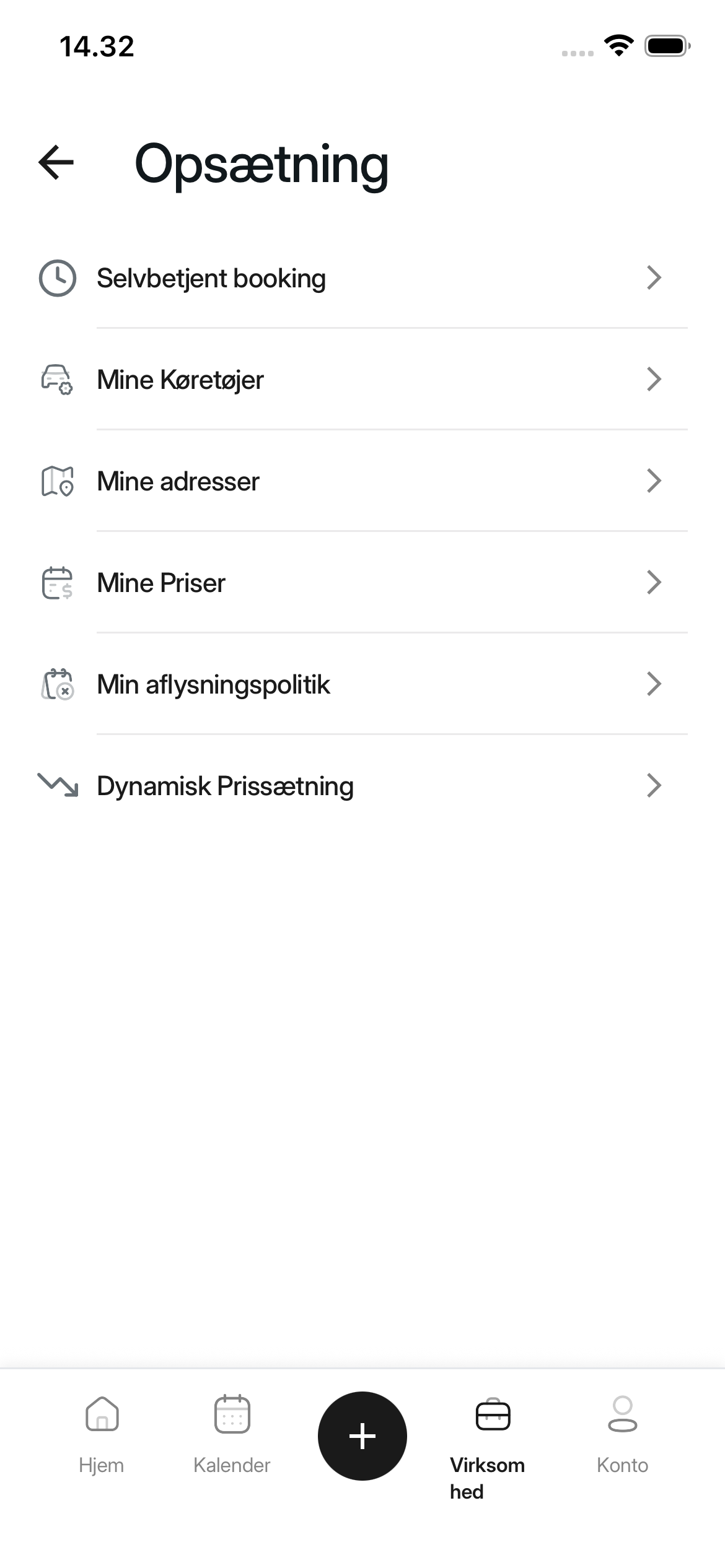
3. Open My Prices
Select My Prices. The app shows every lesson type and its current price.
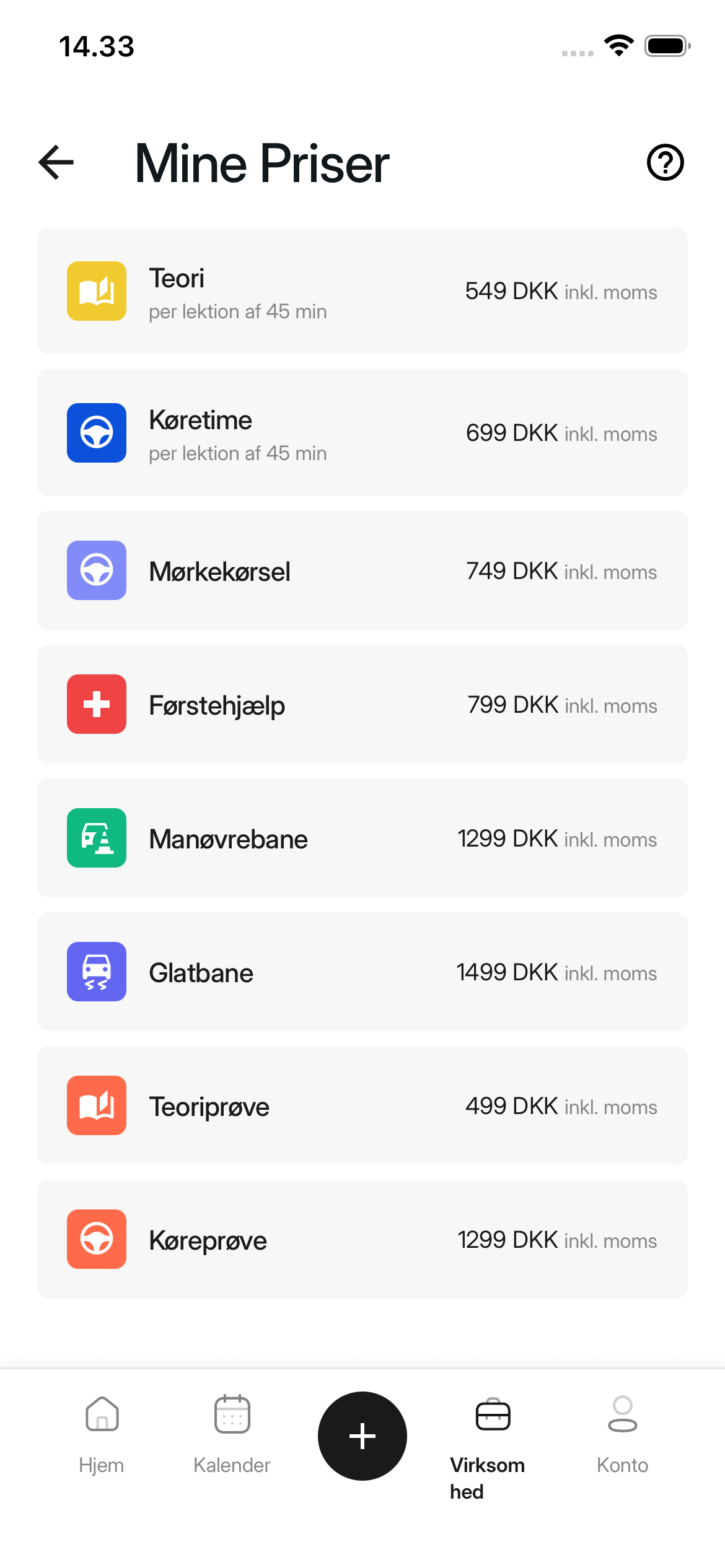
4. Save a price
Select a lesson type. Enter the amount under Price, then select Save. Repeat this for each lesson type you want to offer individually.
The amount includes VAT. Theory and practical driving prices apply per 45-minute lesson. Check the amount before saving.
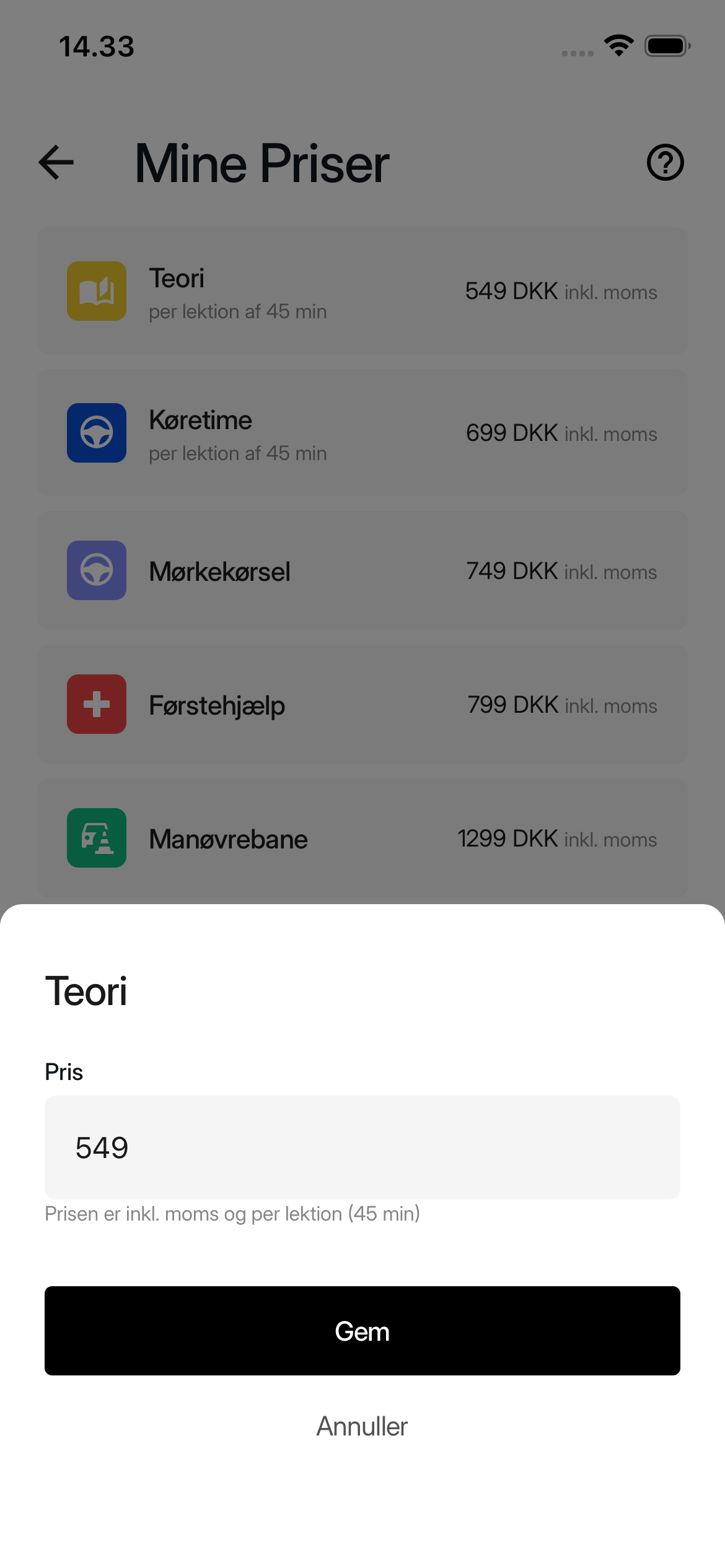
After saving
The price window closes, and the saved amount appears next to the lesson type on My Prices. Lesson types without a price show Not set.
Was this article helpful?
Finding related articles…