How to set up your cancellation policy
Updated 22 Jul 20262 min reading
Your cancellation policy determines how late a lesson can be cancelled without a fee and the fee charged after that point. You set the rules separately for each lesson type.
What do you set?
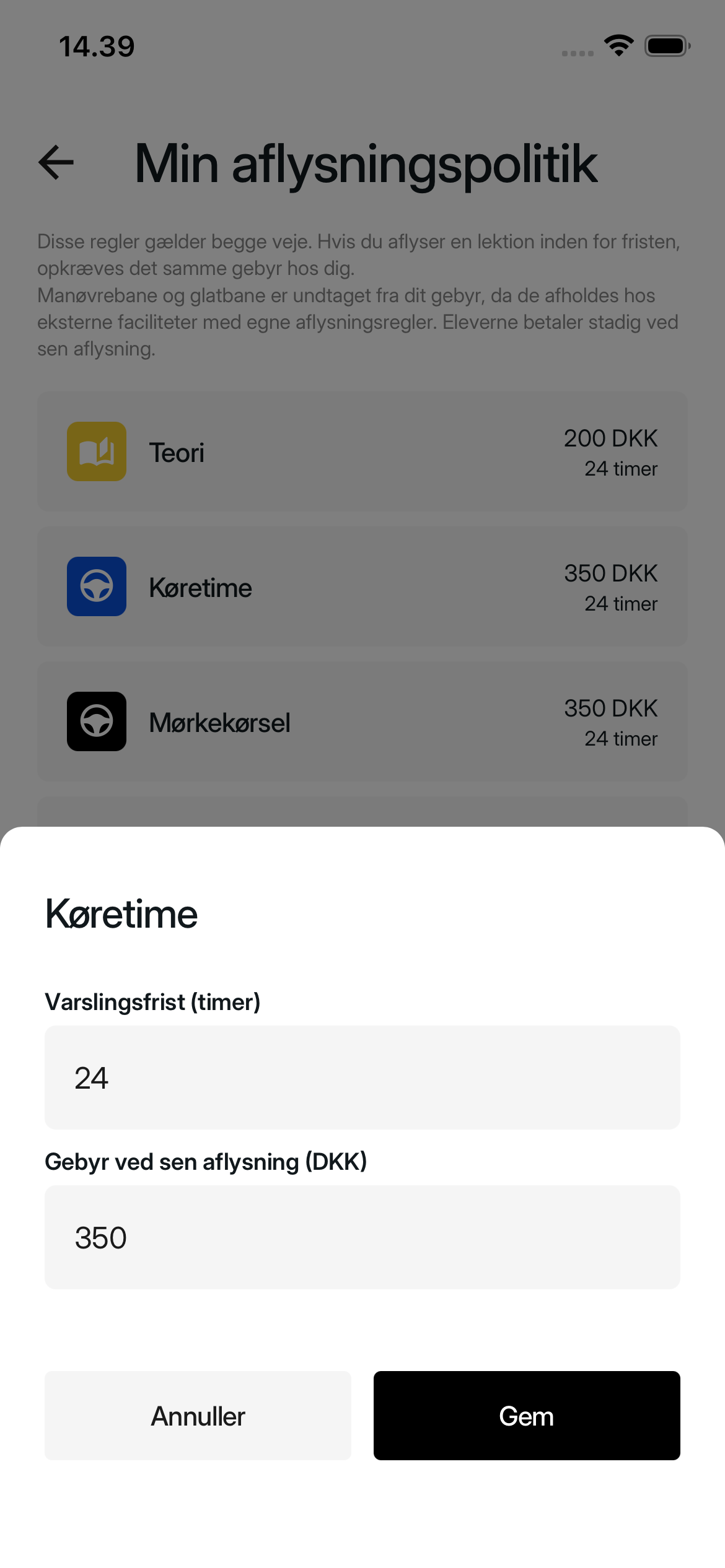
For each lesson type, enter:
- Notice period (hours): The minimum number of hours before the lesson that the student must cancel to avoid the fee.
- Late cancellation fee (DKK): The amount charged when a cancellation is made with less notice.
Example: A 24-hour notice period and a fee of 350 DKK means the fee is charged when the lesson is cancelled less than 24 hours before it starts. Enter 0 as the fee if late cancellation should be free.
Why do the rules matter?
Students see the notice period and fee during booking, before they select Book & Pay. They can therefore review the late cancellation terms before booking the lesson.
The cancellation policy works both ways. If you cancel a lesson with less notice than the selected period, you are charged the same fee that applies to the student.
Exception: Maneuvering track and skid pan lessons take place at external facilities with their own cancellation rules. For a late cancellation, the student still pays the fee, but you are not charged.
How to do it
1. Open the cancellation policy
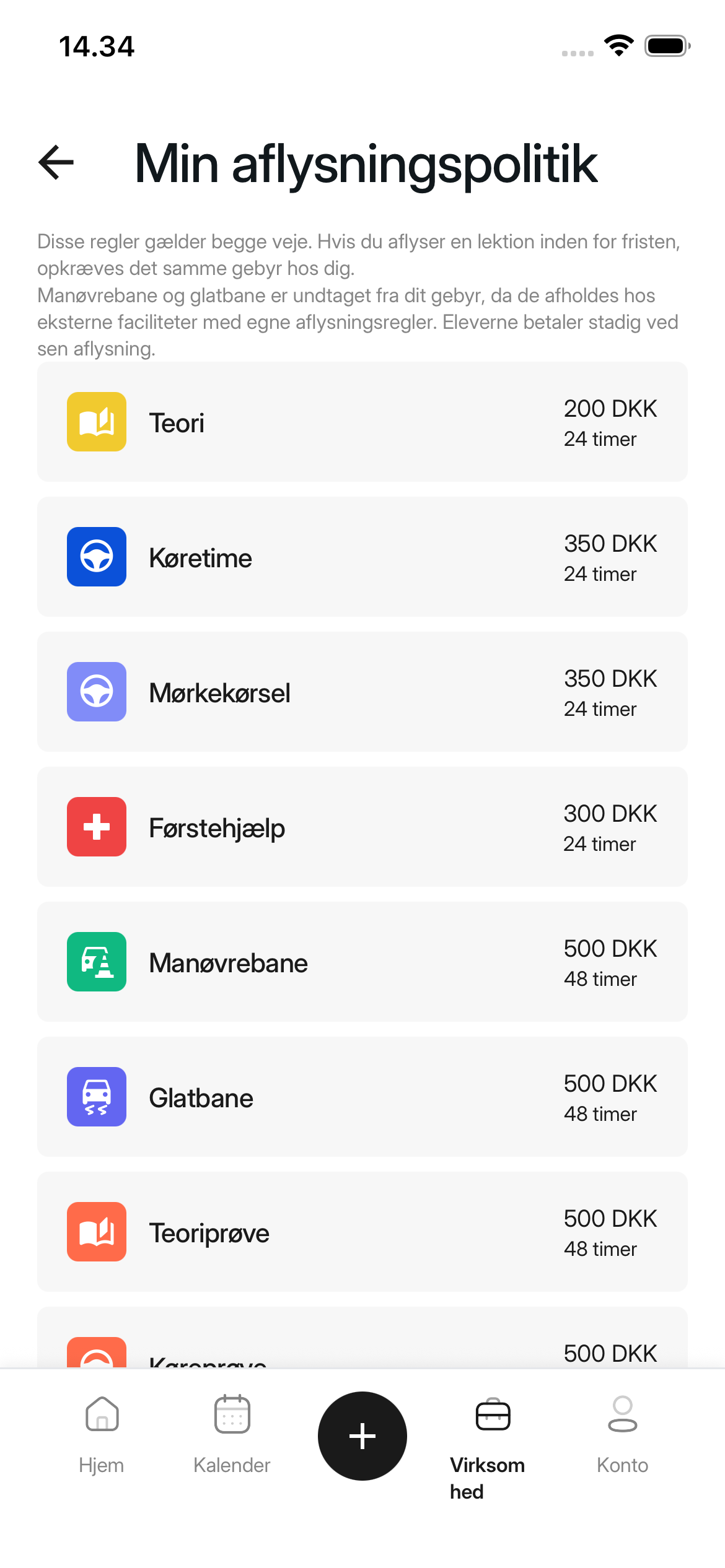
Select Business in the menu at the bottom of the app. Scroll down, select Setup, then select My Cancellation Policies.
If you are a member of a driving school but not the driving school owner, My Cancellation Policies is shown only if you have access to manage the driving school's pricing. If you cannot see the menu item, ask the driving school owner or an administrator for access.
2. Select a lesson type
Select the lesson type whose rules you want to set.
3. Enter the notice period and fee
Enter the period under Notice period (hours) and the amount under Late cancellation fee (DKK).
4. Save the rules
Select Save. The window closes and the new values appear under My Cancellation Policies. Repeat for the other lesson types you want to configure.
Was this article helpful?
Finding related articles…